
Technology Charmonye 13 min read
How we use AI beyond web chat: models, agents, local setups, and what each is for
A practical map of AI tools beyond the chat tab: cloud and local models, APIs, CLI agents, skills, MCP, vision, image generation, and where each fits in real project work.
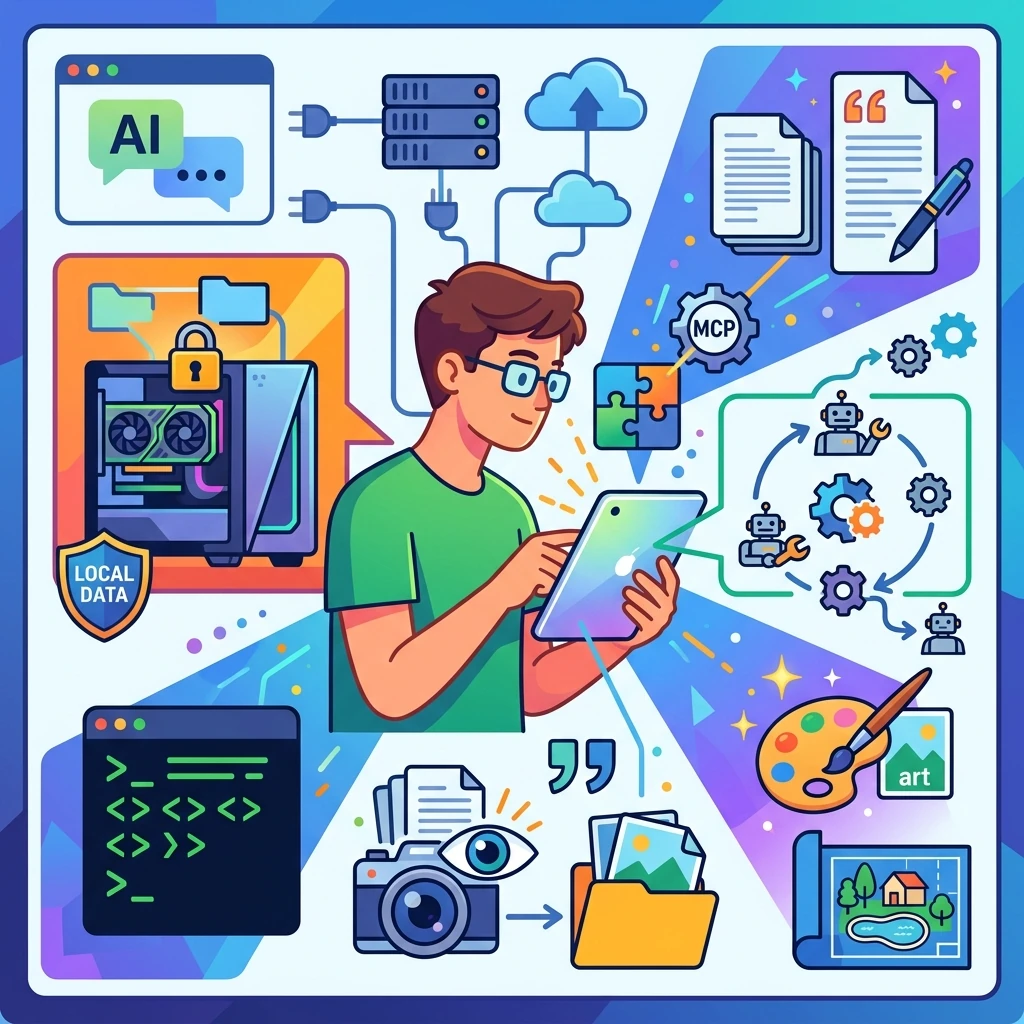
Most people meet AI one way: open ChatGPT, Claude, or Gemini in a browser, type a question, get an answer. That works. We use it too, for quick things - a definition, a phrasing, a fast translation.
But the chat tab is one entrance into a much larger toolkit. Behind it sit agents that work with your files, local models that don't send data anywhere, image generators, vision models, terminal interfaces, programmatic access, reusable skills, helper subagents, standardized tool plugs. None of this shows up if you only use the chat.
We've been integrating AI into real landscape projects since 2024 - across plots from a few hundred square metres to three hectares, in Russia, Europe, and the UAE. The setup beyond chat is what made AI useful for serious project work. This is a map of that setup, in plain words.
Different tools for different jobs. That's the whole point.
A model and an interface - two different things
People mix these up constantly, and it makes the rest confusing.
A model is the trained system that does the work — GPT, Claude, Gemini, Qwen, Gemma, Llama. Different families, different strengths. The model is one thing.
An interface is how you talk to that model. Web chat is one. A desktop app is another. The terminal (CLI) is another. An IDE plugin is another. A direct API call from your own code is another.
Same model, different interfaces. Claude in the web app is the same Claude as Claude in Claude Code in a terminal. The model doesn't change. What changes is what you can ask it to do and what it can touch.
Sitting on top of that — and worth keeping separate in your head — is where the model is actually running: on someone else's servers (cloud) or on your own machine (local). That's a different question from "which model" and "which interface," and it's the next section.
This matters because most "which AI is best" arguments are really arguments about interface or deployment, not the model itself.
The first real fork: local or cloud
This is where practical choices start.
Cloud - the model runs on someone else's servers. You send the data, they send the result. ChatGPT, Claude, Gemini, Qwen via Model Studio. No hardware needed, the strongest models available, but your data leaves your machine.
Local - you download model weights and run them on your own GPU. Data stays with you. You control everything. But you need the hardware, and you have to set it up.
Top cloud models are still ahead of what you can run locally, but the gap on routine tasks has narrowed enough that local is real for serious work, not just a hobby.
We use both, depending on the task.
Local for: private project material we don't want passing through third-party services - photos of a house, site plans, the owner's brief, budgets; routine sorting, indexing, summarizing; repeat work that would burn through a cloud quota; anything where we want full control.
Cloud for: heavy multimodal reasoning a local model can't do; one-off questions where setup is overkill; tasks where the data is generic or anonymized; features like very long context or the newest vision builds that local versions haven't caught up to.
We've run local models on hardware from a 5060 Ti up to a 4090 modded to 48 GB VRAM (stock 4090 ships with 24 GB; the VRAM upgrade is a known procedure in enthusiast and studio circles). Qwen, Gemma, gpt-oss, including vision-language builds served through vLLM. Some impressed us. Some surprised us by being noticeably worse on real site photos than the model card suggested. The gap between "supports vision" and "useful on actual site photos" can be wide.
Subscription, API, and CLI - different axes, often confused
This is the section where most people get tangled, because three different things get talked about as if they were one.
A subscription is a billing model: you pay a flat monthly fee ($20-200) and get a quota of model use - usually across web chat, desktop, mobile, and (for newer subscriptions) CLI access. You pay for time, not for usage.
An API is a programmatic access pattern: your code sends a request, the model returns a response, you pay per token used. Useful when you want to automate, batch, or build something on top.
A CLI is an interface: a terminal program you talk to in plain language, which can read your file system, run commands, and call tools on your behalf. Claude Code, Codex CLI, Gemini CLI.
These three sit on different axes. A CLI can use a cloud model through a subscription, the same cloud model through API tokens, or a local model running on your own machine. Same interface, different combinations underneath.
For most people the practical question isn't "subscription or API" - it's "do I need automation." If you're typing the same question into chat for the tenth time, you probably want either a skill (inside a CLI agent) or a small API script. If you want the agent to handle file operations, you want the CLI. The billing follows from the use case.
What an agent actually does: tool calling, skills, subagents, MCP
This is the layer that turns AI from a chatty search engine into a working tool.
Tool calling is the basic mechanic. A plain language model takes text in, writes text out. A model with tool calling can additionally ask the system to do things - read a file, list a folder, run a search, fetch a row from a database, call an external API. Without tool calling, even the strongest model is locked in the conversation.
An agent is a model with tool calling plus a loop. You give it a task in plain language. It chooses tools, uses them, checks the result, adjusts, repeats until it's done or stuck. Claude Code, Codex CLI, and Gemini CLI all run agents against your file system and shell.
Skills are reusable specialized instructions for an agent. Instead of pasting the same long prompt every time you want a code review, voice check, or photo index built, you write one SKILL.md and the agent calls it when relevant. As of 2026, Claude Code, Codex, Gemini CLI, and several IDEs share a compatible SKILL.md format - the same skill file works across tools. We use skills for editorial cleanup, source checking, voice review, photo indexing. A skill is the unit of "we always do this the same way."
Subagents are helper agents the main agent spawns for parts of a task. Each subagent gets its own context window, its own permitted tools, sometimes a different model. While the main agent thinks about overall structure, one subagent runs a search in parallel, another fact-checks a draft, another formats output. They report back. The main agent coordinates.
MCP (Model Context Protocol) is the standardized plug between models and external tools. Instead of every tool inventing its own integration, MCP defines one protocol that everyone speaks - Anthropic, OpenAI, Google, the major frameworks. You connect an MCP server (for your file system, calendar, design database, image library, whatever), and any MCP-aware agent can use it. As of 2026 it's effectively the default integration layer.
None of this requires writing code. The agent gets natural-language tasks. What it does require is clarity about what you want and what the agent is allowed to touch. We've found the quality of the result depends much more on how the task is described than on which top-tier model is running.
Different models for different jobs
There isn't one model that does everything well. Trying to make one model handle text, photos, image generation, and folder operations is the classic starting mistake.
Language models read and write text. Briefs, summaries, contradictions in notes, questions, drafts, correspondence. Most current models handle this fine.
Vision-language models. Models that read images as part of the conversation, not just text. The "VL" suffix is mostly something you see on local model names — qwen3-vl, for example — used to flag that this particular build handles images, not just text. With cloud frontier models you usually don't have to think about it: ChatGPT, Claude, Gemini have handled images for a while. But it's not automatic — DeepSeek V4, for instance, is text-only. So whether a model can "see" is a property of the specific build, not of cloud-vs-local.
After a site visit we have photos: the house, the fence, trees, the driveway, damp spots, narrow passages, construction debris. A vision-capable model can describe what's in the frame - where the house and entrance are, what state the fence looks like, where there are grade changes - useful as a first pass on a folder. Not a substitute for being on site.
Image generators create new pictures from text prompts. They don't read existing photos; they invent visual hypotheses. Useful for mood, planting density, path materials, terrace shape. A generated image isn't a project though - the model will happily place a path through technical access, put a pool on the main route, remove an existing tree because it ruined the composition, invent a flat lawn where the site has slope and standing water. Treat outputs as visual ideas to argue with, not as decisions.
Multimodal models combine some of the above. The latest ChatGPT, Claude, and Gemini variants handle text, vision, and sometimes generation in one model. Quality across modes isn't uniform - a model can be excellent at text and only okay at images, or vice versa.
A VLM and an image generator are not the same tool. VLMs read; generators create. They don't substitute for each other.
What you can realistically run locally
Snapshot as of May 2026. This is the most volatile section in the article.
For local work, VRAM on the GPU matters more than the model name.
- 8-16 GB VRAM - small models only (7B-20B parameters). Simple text tasks. A current example:
gpt-oss-20b, designed by OpenAI for local and edge scenarios needing about 16 GB. - 24 GB VRAM - practical local zone. Qwen3.6 27B, Gemma 4 26B, some 31B-35B builds in quantized form. Text works well; vision support varies by build.
- 32 GB VRAM - comfortable. Longer context, smoother agent operation, room for some multimodal scenarios.
- 80 GB VRAM - workstation/server territory.
gpt-oss-120bfits here. Not a consumer laptop.
Tools that run local models:
- Ollama - the simplest start;
- LM Studio - graphical interface, friendly;
- llama.cpp, vLLM - more technical, more control.
Model families we've worked with:
Qwen3.6. The cloud version qwen3.6-plus is strong: long context, image and video support, function calling, structured output. Open-weight 27B builds run on a 24 GB card (Ollama lists them around 17 GB); 35B-A3B variants land in the 22-24 GB range depending on quantization.
Gemma 4. Google's open family. Lightweight E2B/E4B for weaker hardware and simple tasks; 26B and 31B for serious local work. Ollama lists 26B/31B at roughly 18-20 GB with text and image support.
gpt-oss. OpenAI's open releases. gpt-oss-20b is a reasoning model with tool calling support in the accessible local range. gpt-oss-120b runs efficiently on a single 80 GB GPU per OpenAI.
We wouldn't buy hardware before knowing which tasks actually repeat in your workflow. Watch what you do over and over in chat for a few weeks - if it's routine and private, that's a candidate for moving local.
Image generation: where to find it
As of mid-2026, image generation comes in roughly four formats.
Built into cloud services. ChatGPT, Gemini, and Claude can all generate images in-chat. Google offers NanoBanana 2 and Imagen 4 through the Gemini app, AI Studio, and Vertex AI. OpenAI has GPT Image 1.5 and GPT Image 2. Chinese services run Kling 3.0, Wan 2.7, Seedream. Quality varies; convenience is unmatched - you're already in the chat.
Standalone providers. Midjourney, Higgsfield, and others focused specifically on image and video. More control, more options, more specialized workflows.
Specialized design tools. Services that wrap cloud generation models with pre-configured prompts and styles for a narrow field — landscape, interior, architecture. No proprietary generation under the hood — they route to foundation models from OpenAI, Google, xAI, and others, with a domain-specific layer on top. One example is app.charmonye.com — a tool we built for our own landscape work and use day to day (what it does); under the hood it calls several foundation models (ChatGPT, Google, Grok) depending on the task. Convenient when a tool's preset matches what you actually need.
Local generation. Flux.2 leads on photorealism; Stable Diffusion 3.5 has the largest custom-model and style community. Both run through ComfyUI or Forge. Entry from 8 GB VRAM, comfortable from 16 GB. Tencent's HunyuanImage 3.0 is open source. Full control, no data leaving your machine, setup is on you.
How this fits together on a real project
After a site visit, the folder typically has photos, the owner brief, measurements, notes, first AI visual checks (how that folder is organised).
A local agent handles routine privately: building folder structure, listing and describing materials, drafting a photo index, pulling questions from the brief, finding contradictions in notes, preparing the README, separating facts from hypotheses.
What we send to a cloud model: heavier photo analysis, comparing several images, long document folders, questions that need careful joining of text, photo, and constraint.
The working pattern is usually mixed. Sort the folder locally first, prepare an anonymized summary, then send only the relevant fragment to the cloud - a few selected photos, brief context, a specific question. Not "analyze the project," but: "Here are photos of the fence area and a short description of the constraints. Don't invent a project. Describe which elements in the photos might affect a future path and plantings. Flag separately where you're not sure."
The position throughout: AI isn't a source of final answers. It's a tool for a careful conversation with the material.
What we don't expect AI to do
A local model isn't a designer.
A vision model isn't a measurer. It guesses dimensions, sometimes confidently, sometimes wrong.
An image generator isn't a project document. It produces visual hypotheses to discuss, not decisions.
A cloud service isn't automatically safe for private material. It's a conscious decision about what data leaves your machine and under which terms.
And any specific model recommendation will age out in months. What stays is the structure: where the model runs, how you pay, how you interact, what type of model fits which job, and which agentic capabilities sit on top.
The point
The interesting work in AI right now isn't picking the strongest single model. It's picking the right combination of interface, deployment, and capability for the task you actually have.
A workable setup is usually mixed: a local agent for routine private work, a cloud model for what local can't yet do, a generator for visual hypotheses, and a person who checks all of it.
Web chat is fine. It's just one of many tools. The rest of the toolkit is what makes the difference between AI as a search engine that talks back and AI as a working part of a project.
Sources
Model and service reference as of May 2026:
- Qwen3.6: Alibaba Cloud Model Studio, Ollama qwen3.6:27b, Hugging Face Qwen3.6-27B.
- Gemma 4: Google DeepMind, Ollama gemma4.
- gpt-oss: OpenAI announcement.
- MCP: Model Context Protocol specification, Anthropic announcement.
- CLI agents: Claude Code, Codex CLI, Gemini CLI.
- Image generation: Midjourney, Stable Diffusion, ComfyUI, Flux.